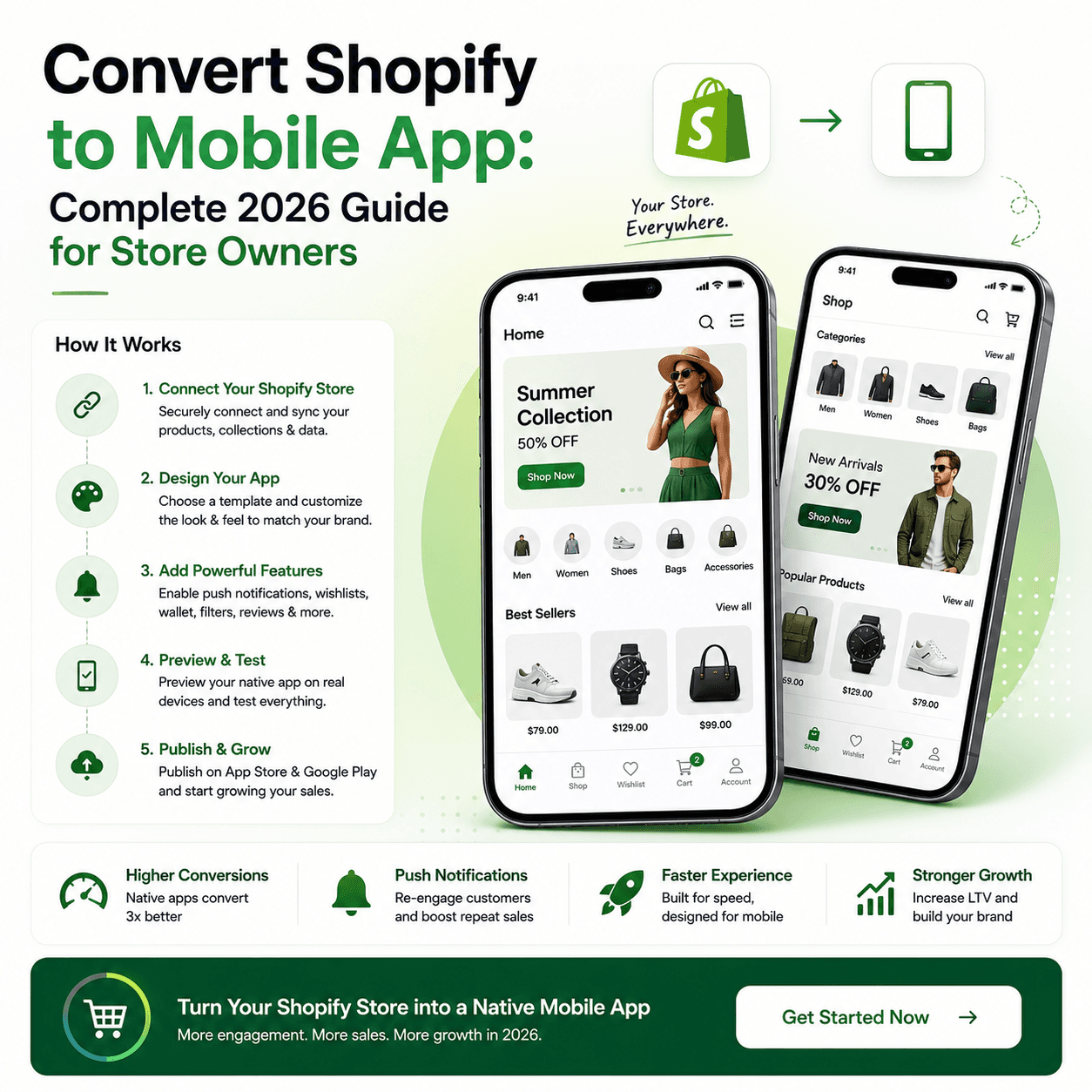
Quick answer: To convert a Shopify store into a mobile app, connect your store to a no-code app builder, import your products automatically, design your screens visually, and publish native iOS and Android apps to the app stores. It costs from about $20–$500/month, takes days instead of months, and requires no coding.
The five steps:
- Connect your Shopify store to an app builder
- Design your mobile UX in a visual editor
- Configure real-time sync and cart behavior
- Add push notification journeys
- Build and publish to the App Store and Google Play
The rest of this guide walks through each step, what it costs, and how long it takes.
Why Convert Shopify to a Mobile App?
Shopify stores get most of their traffic from mobile, but mobile websites still lose conversions because they are slower, easier to abandon, and harder to re-engage.
A native app gives you:
- Faster product browsing
- Persistent carts and login sessions
- Push notifications for retention
- Better repeat-order behavior
For brands with returning customers, a Shopify app is usually a retention and LTV engine, not just another channel. App users typically convert around 3x better than mobile web visitors, and push notifications reach ~20% open rates versus ~2% for email.
What You Need Before You Start
Prepare these assets first:
- Active Shopify store with published products
- Brand kit (logo, colors, icon)
- Product images optimized for mobile
- App store accounts:
- Apple Developer Program ($99/year)
- Google Play Console (one-time $25)
Then choose your build path:
| Build path | Upfront cost | Timeline | Maintenance |
|---|---|---|---|
| No-code native app builder | $0 to start, $20–$500/mo | Days to 2 weeks | Handled by the platform |
| Webview wrapper | $50–$300/mo | 1–2 weeks | Handled by provider, tied to site speed |
| Custom development | $20,000–$150,000 | 3–6 months | Your own developers, ongoing |
For most merchants, a no-code approach is the best tradeoff between speed and quality.
Step-by-Step: Convert Shopify to Mobile App
Step 1: Connect Shopify Store
Install BrewmyApp from the Shopify App Store, or paste your store URL on brewmyapp.io. Either route creates your account and connects the store in the same step — there is no separate sign-up — and products, collections, and inventory import automatically. All three connection routes are covered in full further down.
Step 2: Design Mobile UX
Build app screens for:
- Home with banners and collections
- Product listing and filters
- Product detail pages
- Cart and checkout flow
- Account and order history
A strong UX strategy improves both conversion and retention. See mobile app design best practices for layout principles that also apply to Shopify apps.
Step 3: Configure Sync and Cart Behavior
Ensure sync includes:
- Product updates
- Price and sale changes
- Inventory status
- Order events
If cross-channel cart continuity matters, enable Shopify cart sync options in your setup flow.
Step 4: Add Push Notification Journeys
Set up at least three notification flows:
- Cart abandonment reminders
- Back-in-stock alerts
- Campaign promotions
Push is one of the biggest advantages of an app over mobile web.
Step 5: Build and Publish
Generate production binaries and submit:
- iOS to App Store Connect
- Android to Google Play Console
Use clear store listing copy with your primary keyword themes, screenshots, and value propositions.
How Long Does It Take?
Converting a Shopify store to a mobile app with a no-code builder takes most merchants under two weeks end to end, including app store review. Custom development of the same app takes three to six months.
| Phase | No-code builder | Custom development |
|---|---|---|
| Setup + design | Day 1 | 4–8 weeks |
| QA and polish | Day 2–3 | 4–8 weeks |
| App store submission | Day 4+ | Week 12+ |
| Typical total | Under 2 weeks | 3–6 months |
Actual publishing depends on app review timelines, especially on iOS.
Cost Reality: Shopify App vs Custom Build
Custom app development can cost tens of thousands of dollars with ongoing maintenance overhead.
A no-code native path usually gives better speed-to-market and predictable pricing. Compare options in Best Shopify mobile app builders and Shopify app cost breakdown.
SEO + Growth Strategy After Launch
A Shopify app does not replace SEO. Use both channels:
- Website SEO for acquisition
- App for retention and repeat purchases
Best practice stack:
- Add app download CTAs on high-traffic pages
- Use post-purchase app install prompts
- Offer app-only incentives
- Track app-driven conversion improvements monthly
5-Star Merchant Launch Checklist
Before launch, verify all of these:
- Product and collection sync is accurate
- Search and filters behave correctly
- Cart and checkout complete without friction
- Push notifications deliver on iOS and Android
- App icon, splash, and branding are production-ready
- Privacy, terms, and support links are visible
Connecting your store to BrewmyApp
Three ways to connect your store
You do not create an account first. Every route below signs you up and connects the store in the same step.
- From the BrewmyApp homepage. Paste your store URL into the box at the top of brewmyapp.io, approve the install, and you land in the designer with your products already synced.
- From the Shopify App Store. Install BrewmyApp directly from Shopify. The install itself creates your account and links the store — nothing to fill in afterwards.
- From the dashboard. Already have a store connected and want to add another? Add it from your stores page.
Whichever you pick, products, collections, variants, and inventory sync automatically. There is no CSV export and no API key to paste.
Building and publishing the app
Builds run on Expo's EAS infrastructure, so nothing compiles on your machine:
- Connect an Expo account. Free to create at expo.dev; the dashboard walks you through linking it.
- Pick your target. Android APK for side-loading and testing, Android AAB for Google Play, iOS IPA for the App Store, or both at once. iPad support is a checkbox.
- Choose the app language. Eleven locales ship built in — English, Spanish, French, German, Portuguese, Italian, Dutch, Hindi, Arabic, Japanese, and Chinese.
- Build. You watch the EAS log stream in the dashboard and get the artifact when it finishes.
- Submit. Turn on auto-submit and the build goes to App Store Connect or Google Play on completion, or download the artifact and upload it yourself.
iOS publishing needs an Apple Developer Program membership ($99/year). After the first build, most changes — layout, colours, banners, product arrangement — ship over the air, so your users get them without a new store review.
BrewmyApp is $99/month or $999/year per store. Designing your app and previewing it on a real device is free — you pay when you build and publish. The app stores charge separately: Apple's Developer Program is $99/year and Google Play is a one-time $25 fee.
Final Takeaway
If you want to convert Shopify to mobile app in 2026, prioritize a native no-code stack with strong sync, clear UX, and retention automation.
Start with BrewmyApp setup, test on real devices, and ship when your customer flow is stable.
Related reads:
- How to Turn Your Shopify Store into a Mobile App
- Shopify Native App vs WebView vs PWA
- Shopify Push Notifications for Sales and Retention
- Reduce Cart Abandonment with Shopify Mobile App
- Shopify App Builder vs Custom Development
- Shopify Mobile App Pricing Comparison
- Best Tapcart Alternative in 2026
- Best Vajro Alternative in 2026
- Best Plobal Alternative in 2026
Ready to Turn Your Store into a Mobile App?
Design and preview your app for free. No coding required.
Start Building for Free