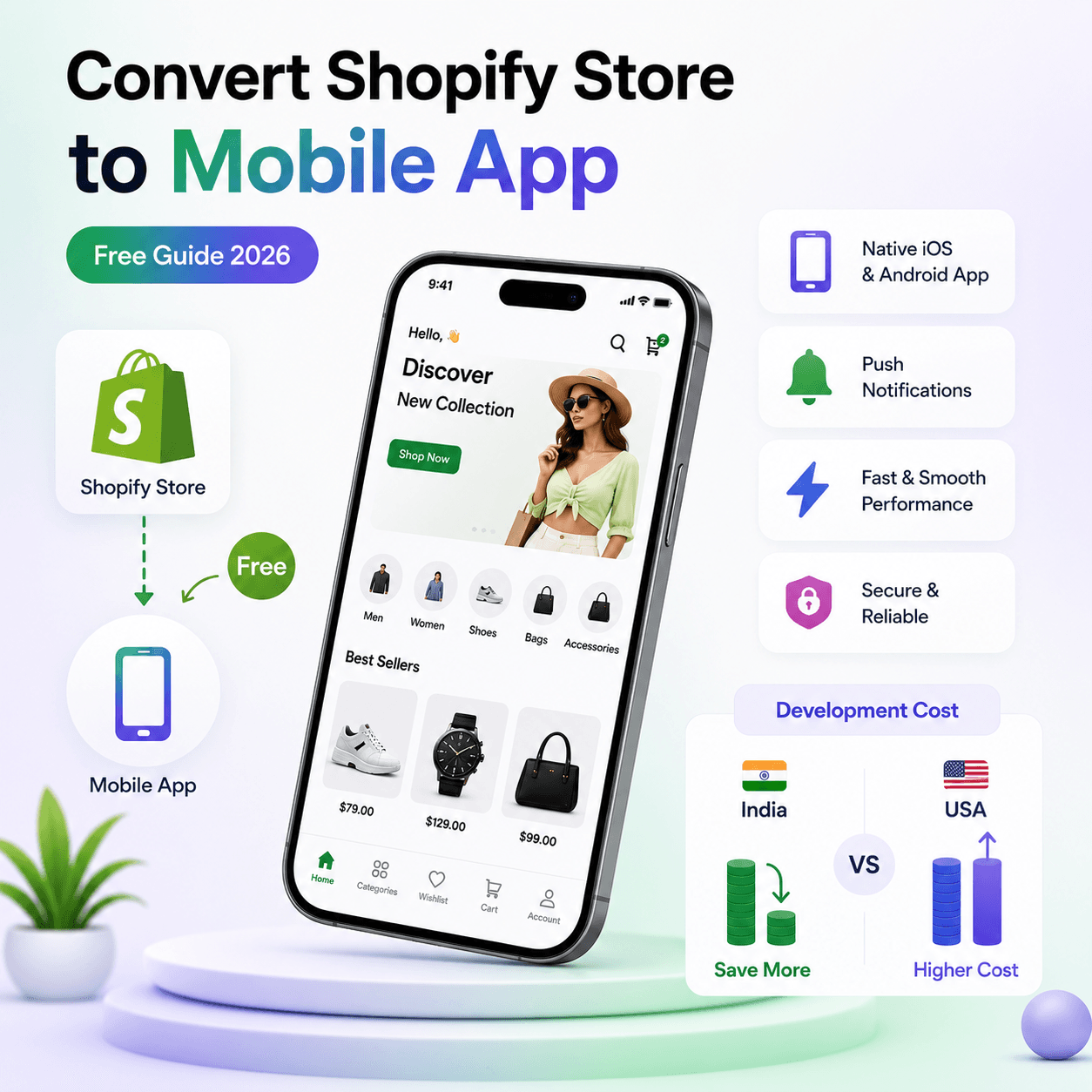
Convert Shopify Store to Mobile App Free: Is It Really Possible?
If you are searching for "convert Shopify store to mobile app free", you are not alone. Most Shopify founders want to launch an app fast, test app-led revenue, and avoid paying heavy development fees on day one.
The short answer is: yes, you can start free with modern no-code platforms. But there is an important difference between:
- Free to design and preview
- Free to publish to app stores
- Free forever without platform or maintenance cost
In this guide, you will learn exactly how to convert a Shopify store to mobile app, what real Shopify mobile app development costs look like, and how Shopify website development cost in India compares with shopify website development cost in usa.
Why Shopify Store to Mobile App Is Growing So Fast
Shopify stores now get a large share of traffic from smartphones. But mobile websites still have friction:
- Slow loads on weaker networks
- Lower repeat sessions compared to installed apps
- No direct push notifications for re-engagement
- Easier abandonment during checkout
A native mobile app improves all four.
When you move from website-only to app + website, you build a better Shopify mobile selling engine:
- Home-screen visibility
- Faster browsing and category discovery
- Push notifications for promotions and cart recovery
- Better repeat purchase behavior
For many brands, the app does not replace the website. It upgrades retention and repeat orders while SEO pages keep bringing new traffic.
Shopify Mobile App Development: Your 3 Main Paths
1) No-code app builder
This is the fastest route for most merchants.
- You connect your Shopify store
- Products, inventory, and collections sync automatically
- You design the app with drag-and-drop sections
- You generate iOS and Android builds
Best for: Small to medium stores that want speed and lower risk.
2) Freelance or agency custom build
You hire developers to code everything from scratch using React Native, Flutter, or separate native stacks.
Best for: Large brands with unique workflows, enterprise integration, or custom backend logic.
3) Hybrid or webview wrappers
You wrap your website in an app shell. This can be cheap early, but often suffers from lower UX quality and limited native behavior.
Best for: Very early testing only.
Step-by-Step: Shopify Store to Mobile App (Free Start)
Here is a practical launch workflow if your goal is to start free, validate quickly, and scale responsibly.
Step 1: Audit your mobile funnel first
Before app building, check:
- Mobile conversion rate
- Top product categories by mobile traffic
- Cart abandonment rate on mobile
- Repeat purchase window (30/60/90 days)
This baseline helps you measure whether the app improves outcomes.
Step 2: Choose a free-start app builder plan
Look for a platform that offers free design/preview before paid publishing. You should be able to:
- Connect Shopify
- Build home layout
- Test navigation on real devices
- Simulate cart and checkout flow
Step 3: Connect Shopify data
Connect using official APIs or app integration. Confirm sync for:
- Products and variants
- Prices and discounts
- Stock updates
- Orders and customer accounts
Step 4: Build app UX for conversion
Do not just copy your website. App UX should be tighter:
- Home screen with collection shortcuts
- Fast search and filters
- Sticky add-to-cart behavior
- Clean checkout handoff
Step 5: Configure push notification journeys
Start with three automations:
- Abandoned cart reminder
- Back-in-stock alerts
- Campaign drops (new launch, flash sale)
This is where Shopify mobile selling gets a major lift.
Step 6: Publish when the funnel is stable
Free starts are great for validation. Production publishing usually requires:
- Paid plan on your app builder
- Apple and Google developer accounts
- App review compliance checks
Step 7: Launch growth loops
After approval, add:
- Website banners: "Get our app"
- Post-purchase install offers
- App-only discount campaigns
- Email + WhatsApp install journeys
Shopify Mobile Selling: What Actually Increases Revenue
A mobile app only works if it improves customer behavior. Focus on these levers:
Faster repeat orders
Returning users open the app directly and often complete purchases in fewer steps.
Push-powered reactivation
Push campaigns drive day-7 and day-30 re-engagement at a lower cost than paid retargeting.
Better merchandising for small screens
App cards, swipe sections, and curated feeds can reduce scroll fatigue and improve product discovery.
Loyalty and referral hooks
App-exclusive rewards can increase retention and customer lifetime value.
Shopify Website Development Cost in India
Many founders compare app decisions with website budgets first, so let us break it clearly.
Shopify website development cost in India depends on complexity:
- Basic Shopify store setup: 200 to 800 USD
- Mid-level custom theme + apps: 800 to 3,000 USD
- Advanced custom UX + integrations: 3,000 to 10,000 USD+
In INR terms, you may see approximately:
- 17,000 INR to 70,000 INR for basic setup
- 70,000 INR to 2,50,000 INR for mid-level work
- 2,50,000 INR to 8,50,000 INR+ for advanced projects
Typical factors affecting India cost:
- Theme customization depth
- Number of third-party integrations
- Custom landing page and CRO needs
- Ongoing maintenance scope
Shopify Website Development Cost in USA
Now compare with shopify website development cost in usa:
- Basic setup: 1,000 to 5,000 USD
- Mid-level custom design/development: 5,000 to 20,000 USD
- Enterprise custom build: 20,000 to 75,000 USD+
USA pricing is usually higher because of:
- Higher labor rates
- Larger strategy and discovery phases
- Broader QA and compliance workflows
- Agency overhead and support models
Shopify Website Development Cost: Quick Comparison Table
| Scope | India | USA |
|---|---|---|
| Basic setup | 200 to 800 USD | 1,000 to 5,000 USD |
| Mid-level custom | 800 to 3,000 USD | 5,000 to 20,000 USD |
| Advanced/enterprise | 3,000 to 10,000 USD+ | 20,000 to 75,000 USD+ |
This gives context for the broader keyword shopify website development cost. Your actual number depends on goals, not just geography.
Mobile App Cost vs Website Cost: How to Decide
You do not need to choose one forever. Most successful stores do both in stages:
- Launch or improve website for SEO and first-time acquisition
- Add app for retention, repeat purchases, and lifecycle marketing
If your store already gets consistent mobile traffic, app ROI can become visible quickly through:
- Better repeat order frequency
- Lower cart abandonment
- Higher push-attributed revenue
Common Mistakes to Avoid
Mistake 1: Chasing "free forever"
Free starts are useful, but long-term app success requires budget for publishing, maintenance, and optimization.
Mistake 2: Shipping app without retention setup
Without push, app installs decay fast. Retention flows are not optional.
Mistake 3: Ignoring app analytics
Track install-to-first-order, repeat rate, and push conversion. Otherwise, you cannot optimize.
Mistake 4: Overbuilding too early
Do not spend months on custom development before validating demand. Start lean, prove ROI, then expand.
Connecting your store to BrewmyApp
Three ways to connect your store
You do not create an account first. Every route below signs you up and connects the store in the same step.
- From the BrewmyApp homepage. Paste your store URL into the box at the top of brewmyapp.io, approve the install, and you land in the designer with your products already synced.
- From the Shopify App Store. Install BrewmyApp directly from Shopify. The install itself creates your account and links the store — nothing to fill in afterwards.
- From the dashboard. Already have a store connected and want to add another? Add it from your stores page.
Whichever you pick, products, collections, variants, and inventory sync automatically. There is no CSV export and no API key to paste.
Building and publishing the app
Builds run on Expo's EAS infrastructure, so nothing compiles on your machine:
- Connect an Expo account. Free to create at expo.dev; the dashboard walks you through linking it.
- Pick your target. Android APK for side-loading and testing, Android AAB for Google Play, iOS IPA for the App Store, or both at once. iPad support is a checkbox.
- Choose the app language. Eleven locales ship built in — English, Spanish, French, German, Portuguese, Italian, Dutch, Hindi, Arabic, Japanese, and Chinese.
- Build. You watch the EAS log stream in the dashboard and get the artifact when it finishes.
- Submit. Turn on auto-submit and the build goes to App Store Connect or Google Play on completion, or download the artifact and upload it yourself.
iOS publishing needs an Apple Developer Program membership ($99/year). After the first build, most changes — layout, colours, banners, product arrangement — ship over the air, so your users get them without a new store review.
BrewmyApp is $99/month or $999/year per store. Designing your app and previewing it on a real device is free — you pay when you build and publish. The app stores charge separately: Apple's Developer Program is $99/year and Google Play is a one-time $25 fee.
30-Day Action Plan for Shopify Founders
If you want to move now, use this checklist:
Week 1
- Choose your app build path
- Start free app preview
- Sync products and categories
Week 2
- Finalize navigation and home layout
- Configure cart and checkout UX
- Set up three push notification journeys
Week 3
- QA on real iOS and Android devices
- Prepare app store assets (screenshots, policy links, support page)
- Submit to Apple and Google
Week 4
- Launch install campaigns
- Add website and checkout app prompts
- Monitor first purchase, repeat purchase, and push-attributed sales
Final Takeaway
If your goal is to convert Shopify store to mobile app free, the smartest strategy is:
- Start with a free preview workflow
- Validate app UX and conversion path quickly
- Publish once your funnel and retention journeys are ready
For sustainable growth, think in systems:
- Website for organic discovery and acquisition
- App for retention and Shopify mobile selling performance
That combination is what helps brands rank better, retain better, and scale profitably.
Related reads:
Ready to Turn Your Store into a Mobile App?
Design and preview your app for free. No coding required.
Start Building for Free