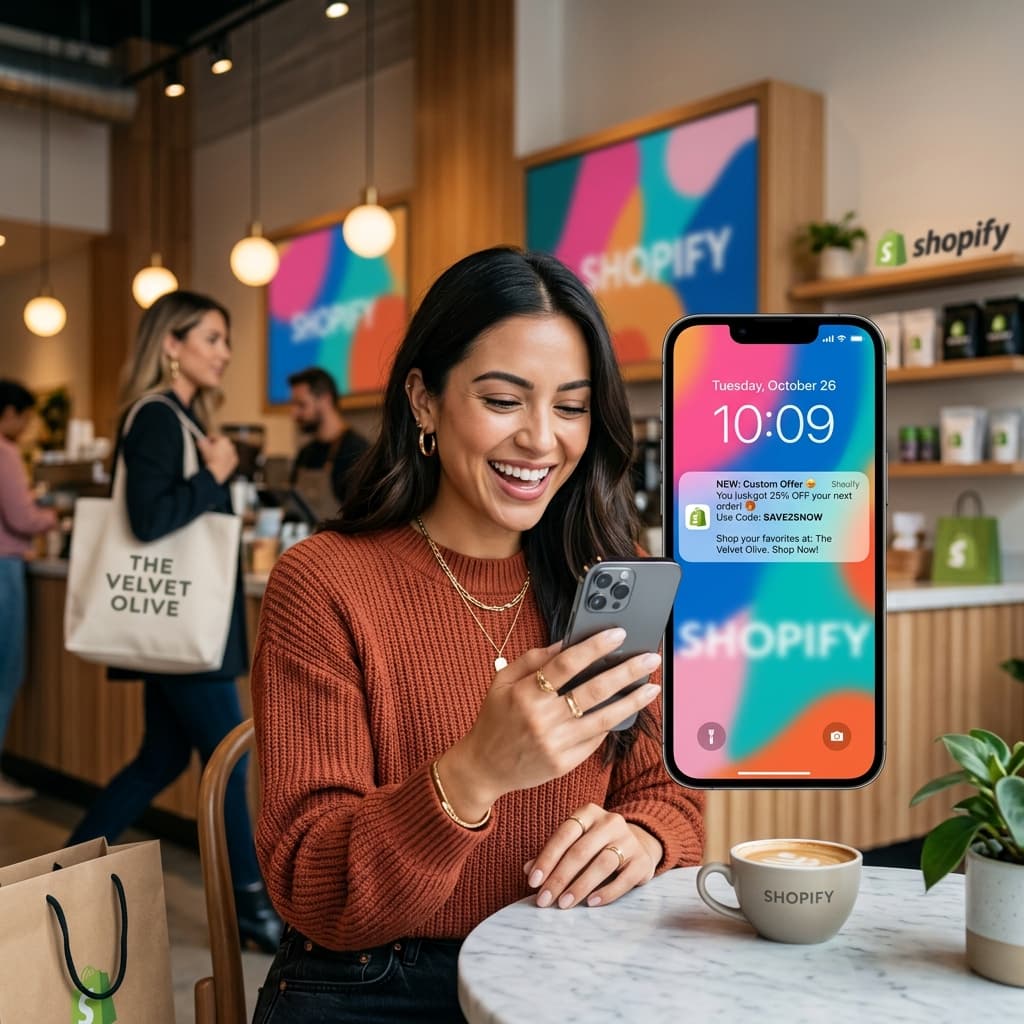
Why Push Notifications Are Essential for Shopify Stores
Push notifications are the most underutilized revenue channel for Shopify store owners. While most merchants focus heavily on email and paid advertising, push notifications consistently outperform both channels in engagement rate and cost-effectiveness.
Here is what makes push notifications uniquely powerful for Shopify stores:
- 50 to 70 percent open rate compared to 15 to 20 percent for email
- Zero cost per message compared to 0.01 to 0.03 dollars for email and 0.01 to 0.05 dollars for SMS
- Instant delivery — messages appear on the customer's lock screen within seconds
- No spam filters — unlike email, push notifications always reach the customer's device
- Deep linking — notifications can open specific products, collections, or checkout pages directly in your app
To send push notifications, your customers need your mobile app installed on their device. This is one of the primary reasons to build a Shopify mobile app.
Revenue-Driving Push Notification Campaigns
1. Abandoned Cart Recovery
Cart abandonment is the biggest revenue leak for Shopify stores. The average mobile web abandonment rate is 85 percent. Push notifications recover 15 to 25 percent of abandoned carts — revenue that would be completely lost without this channel.
Recommended sequence:
Message 1 — 30 minutes after abandonment: Title: "You forgot something!" Body: "Your [Product Name] is waiting in your cart. Complete your order before it's gone." Deep link: Cart page
Message 2 — 4 hours after abandonment: Title: "Still thinking about it?" Body: "Your cart is saved. Shop now and get free shipping on orders over [threshold]." Deep link: Cart page
Message 3 — 24 hours after abandonment: Title: "Last chance!" Body: "Items in your cart are selling fast. Complete your purchase before they're gone." Deep link: Cart page
For a Shopify store with 1,000 abandoned carts per month, this sequence recovers 150 to 250 orders that would otherwise be lost. At an average order value of 60 dollars, that is 9,000 to 15,000 dollars in recovered revenue per month.
2. Flash Sales and Limited-Time Offers
Push notifications are the perfect delivery mechanism for time-sensitive promotions because they create immediate urgency:
Flash sale example: Title: "Flash Sale — 24 Hours Only!" Body: "30 percent off everything. Use code FLASH30 before midnight." Deep link: Home page or sale collection
Limited quantity example: Title: "Only 12 left!" Body: "[Product Name] is almost sold out. Get yours before they're gone." Deep link: Product page
Flash sale push notifications typically generate 5 to 15 percent of daily revenue in a single campaign. The combination of urgency and instant visibility drives immediate action.
3. New Product and Collection Launches
Build excitement and drive immediate sales when you add new products:
New arrival example: Title: "Just dropped!" Body: "Our new [Collection Name] is here. Be the first to shop." Deep link: Collection page
Exclusive early access example: Title: "App-exclusive early access" Body: "Shop [Collection Name] 24 hours before everyone else. Only in the app." Deep link: Collection page
Early access notifications reward app users and create a sense of exclusivity that drives engagement and loyalty.
4. Back-in-Stock Alerts
When popular items sell out and return to inventory, notify interested customers immediately:
Title: "It's back!" Body: "[Product Name] is back in stock. Get yours before it sells out again." Deep link: Product page
Back-in-stock notifications have some of the highest conversion rates of any push type — often 15 to 25 percent — because the customer already demonstrated interest by viewing or wishlisting the product.
5. Price Drop Notifications
Alert customers when items they have viewed or wishlisted decrease in price:
Title: "Price drop alert!" Body: "[Product Name] just dropped from [old price] to [new price]. Save [percentage] percent." Deep link: Product page
Price drop notifications convert at high rates because they target customers who were interested but price-sensitive.
6. Order Status Updates
Keep customers informed throughout the fulfillment process:
- Order confirmed: "Your order #1234 is confirmed! We're preparing it now."
- Order shipped: "Great news! Your order is on its way. Track your delivery here."
- Out for delivery: "Your package is out for delivery today!"
- Delivered: "Your order has been delivered. We hope you love it!"
Transactional notifications have 80 percent or higher open rates and build tremendous customer trust and satisfaction. They also reduce "where is my order" support inquiries significantly.
7. Loyalty and Rewards
If you run a loyalty or rewards program, push notifications keep members engaged:
- "You've earned 500 points! Redeem them for [reward] on your next order."
- "Double points this weekend on all purchases. Shop now to earn twice as fast."
- "You're only 200 points away from [next reward]. Shop today to unlock it."
8. Win-Back Campaigns
Re-engage customers who have not purchased recently:
14 days inactive: Title: "We miss you!" Body: "Check out what's new at [Store Name]. New products added daily." Deep link: New arrivals page
30 days inactive: Title: "Welcome back offer" Body: "Here's 20 percent off your next order. Use code RETURN20. Expires in 48 hours." Deep link: Home page with discount auto-applied
60 days inactive: Title: "It's been a while" Body: "Come back and enjoy free shipping on any order. No minimum purchase." Deep link: Home page
Optimizing Push Notification Performance
Timing
Send notifications when your customers are most likely to engage. For most Shopify stores:
- Weekday mornings (9 to 11 AM): Highest open rates for promotional notifications
- Weekday evenings (6 to 8 PM): Strong for flash sales and limited-time offers
- Saturday morning (10 AM): Good for weekend sale announcements
- Avoid: Late night (after 9 PM) and early morning (before 8 AM) sends
Frequency
The sweet spot is three to five notifications per week:
- Fewer than two per week means you are leaving revenue on the table
- More than seven per week risks notification fatigue and app uninstalls
- Transactional notifications (order updates) do not count toward this limit
Personalization
Personalized notifications outperform generic ones by 300 percent:
- Use the customer's first name when available
- Reference specific products they viewed or purchased
- Segment by purchase history, location, or behavior
A/B Testing
Test systematically to improve performance over time:
- Test different titles and body copy
- Test different send times
- Test with and without images
- Test different deep link destinations
Measuring Push Notification ROI
Track these metrics to measure and optimize your push notification strategy:
| Metric | Target | How to Measure |
|---|---|---|
| Delivery rate | Above 95 percent | Delivered / Sent |
| Open rate | Above 50 percent | Opens / Delivered |
| Conversion rate | Above 5 percent | Purchases / Opens |
| Revenue per campaign | Varies | Total revenue attributed to push |
| Opt-out rate | Below 1 percent | Unsubscribes / Total subscribers |
Connecting your store to BrewmyApp
Three ways to connect your store
You do not create an account first. Every route below signs you up and connects the store in the same step.
- From the BrewmyApp homepage. Paste your store URL into the box at the top of brewmyapp.io, approve the install, and you land in the designer with your products already synced.
- From the Shopify App Store. Install BrewmyApp directly from Shopify. The install itself creates your account and links the store — nothing to fill in afterwards.
- From the dashboard. Already have a store connected and want to add another? Add it from your stores page.
Whichever you pick, products, collections, variants, and inventory sync automatically. There is no CSV export and no API key to paste.
BrewmyApp is $99/month or $999/year per store. Designing your app and previewing it on a real device is free — you pay when you build and publish. The app stores charge separately: Apple's Developer Program is $99/year and Google Play is a one-time $25 fee.
Getting Started with Push Notifications
BrewmyApp includes unlimited push notifications on all plans — no per-message fees, no subscriber limits, no feature gating. Here is how to get started:
- Build your Shopify mobile app
- Promote app downloads to your existing customer base
- Start with automated abandoned cart recovery (highest ROI campaign)
- Add weekly promotional campaigns
- Implement order status notifications
- Gradually build out the full campaign playbook above
Sign up for free and start sending push notifications to your Shopify customers.
Related reads:
Ready to Turn Your Store into a Mobile App?
Design and preview your app for free. No coding required.
Start Building for Free