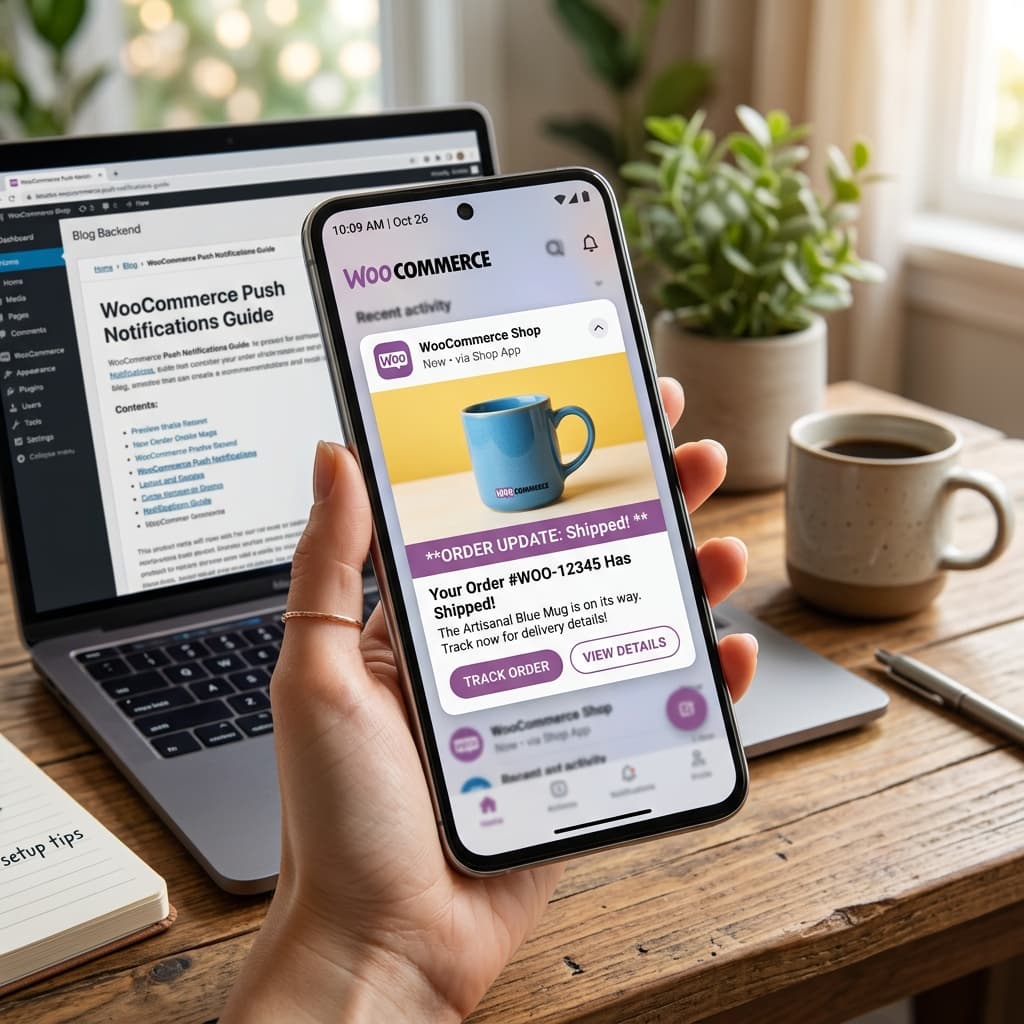
Why Push Notifications Matter for WooCommerce Stores
Push notifications are the single biggest advantage of having a mobile app over a mobile website. They let you reach your customers instantly, for free, with messages that appear directly on their phone's lock screen — even when they are not actively using your app.
No other marketing channel combines this level of immediacy, visibility, and cost-effectiveness. Here is how push notifications compare to other customer communication channels:
| Channel | Open Rate | Cost Per Message | Delivery Speed | Requires App |
|---|---|---|---|---|
| 15 to 20 percent | 0.01 to 0.03 dollars | Hours | No | |
| SMS | 45 percent | 0.01 to 0.05 dollars | Minutes | No |
| Push notifications | 50 to 70 percent | Zero dollars | Instant | Yes |
| Social media post | 2 to 5 percent | Free but limited reach | Hours | No |
With BrewmyApp, push notifications are included at no extra cost — unlimited sends to all your app users, no per-message fees, no tiered pricing based on subscriber count.
Setting Up Push Notifications with BrewmyApp
Step 1: Build Your App
First, connect your WooCommerce store to BrewmyApp and design your app using the visual editor. Push notification infrastructure is set up automatically during the build process.
Step 2: Technical Configuration (Handled Automatically)
BrewmyApp handles all the complex technical setup behind the scenes:
- Apple Push Notification service (APNs) certificates and keys for iOS devices
- Firebase Cloud Messaging (FCM) configuration for Android devices
- Device token management to track which devices can receive notifications
- Delivery optimization to handle retries, token refresh, and platform-specific formatting
- Badge count management to show unread notification counts on your app icon
You do not need to create Firebase projects, generate APNs certificates, or manage any backend infrastructure. It is all automated.
Step 3: Send Your First Notification
From the BrewmyApp dashboard, compose your notification with these fields:
- Title: Keep it under 50 characters for full visibility on all devices
- Body: Concise and action-oriented, under 100 characters to avoid truncation
- Deep link: Direct users to a specific product, category, or page within your app when they tap the notification
- Image (optional): Include a product photo for rich notifications that stand out in the notification center
Push Notification Campaign Playbook
Here are detailed campaign strategies organized by goal, with specific messaging examples and timing recommendations:
1. Welcome Series
Trigger a welcome notification immediately after app install to make a strong first impression and drive an immediate purchase:
- Immediately after install: "Welcome to [Store Name]! Here is 15 percent off your first app order. Use code APP15."
- 24 hours later: "Discover our bestsellers — handpicked just for you. Tap to browse."
- 72 hours later (if no purchase): "Your 15 percent discount expires tomorrow. Do not miss out on [Store Name]'s best products."
This three-message sequence converts a significant percentage of new installs into first-time purchasers.
2. Abandoned Cart Recovery
The highest-ROI push notification campaign. Send a sequence after cart abandonment:
- 30 to 60 minutes: "You left [Product Name] in your cart. Complete your order before it sells out."
- 4 hours: "Still thinking about it? Your cart is waiting — and we added free shipping for you."
- 24 hours: "Last chance! [Product Name] is popular and stock is limited. Complete your order now."
Stores using this sequence recover 15 to 25 percent of abandoned carts on average.
3. Flash Sales
Create urgency with time-limited promotions that drive immediate action:
- "24-Hour Flash Sale: 30 percent off everything. Shop now before midnight!"
- Timed correctly, flash sale pushes can generate 10 to 20 percent of your daily revenue in a single campaign.
4. Back in Stock Alerts
Notify customers when items they viewed or wishlisted become available again:
- "Good news! [Product Name] is back in stock. Get yours before it sells out again."
- Back-in-stock notifications have some of the highest conversion rates of any push type because the customer already expressed interest.
5. Order Status Updates
Keep customers informed and reduce support inquiries:
- "Your order number 1234 has been confirmed. We are preparing it now."
- "Great news! Your order has shipped. Track your package here."
- "Your order has been delivered! We hope you love it."
These transactional notifications have open rates exceeding 80 percent and build customer trust and satisfaction.
6. Weekly Deals and Curated Collections
Schedule recurring notifications with your best offers:
- "This week's top picks: Up to 50 percent off selected items. Tap to discover."
- "New arrivals alert: Fresh products just added to our [Category Name] collection."
7. Seasonal and Holiday Campaigns
Plan push notification campaigns around major shopping events:
- Black Friday and Cyber Monday early access for app users
- Valentine's Day gift guides
- Summer sale kickoffs
- Holiday shipping deadline reminders
8. Win-Back Campaigns
Target users who have not opened the app in 14, 30, or 60 days:
- 14 days inactive: "We miss you! Check out what's new at [Store Name]."
- 30 days inactive: "It has been a while! Here is 20 percent off to welcome you back. Code COMEBACK20."
- 60 days inactive: "We have new products we think you will love. Come back and get free shipping on your next order."
Best Practices for Maximum Engagement
- Frequency: Two to five notifications per week is the sweet spot. More than that and you risk uninstalls. Fewer than two and you are leaving revenue on the table.
- Timing: Send during business hours in your customer's timezone. For most ecommerce stores, late morning and early evening perform best. Avoid sending before 9 AM or after 9 PM.
- Personalization: Use the customer's name when possible and reference their browsing or purchase history. "Sarah, the dress you viewed is now 30 percent off" outperforms generic messages significantly.
- A/B testing: Test different titles, body text, and send times. Even small improvements in open rate compound over hundreds of campaigns.
- Clear call to action: Every notification should prompt one specific action. Do not try to communicate multiple messages in a single push.
- Rich media: Include product images when the notification is about a specific product. Visual notifications have higher tap-through rates.
- Deep linking: Always link to a specific destination in your app rather than the home screen. Reduce the number of taps between notification and purchase.
Measuring Push Notification Performance
Track these metrics monthly to optimize your push strategy:
- Delivery rate: Should be 95 percent or higher. Low delivery rates indicate token management issues.
- Open rate: Target 50 percent or higher for promotional notifications and 70 percent or higher for transactional notifications.
- Conversion rate: Measure how many notification opens result in purchases. Track this per campaign type.
- Revenue per notification: Total push-driven revenue divided by total notifications sent. This is your key ROI metric.
- Opt-out rate: Keep below one percent per campaign. High opt-out rates indicate you are sending too frequently or your content is not relevant.
Push Notifications vs SMS for WooCommerce Stores
While SMS is effective for some use cases, push notifications are superior for mobile app users in almost every way:
- Free versus 0.01 to 0.05 dollars per SMS message
- Higher engagement with no spam filters, carrier restrictions, or deliverability issues
- Rich media support including images, action buttons, and deep links
- No phone number required — just an app install
- No regulatory burden — SMS requires TCPA compliance, opt-in management, and carrier approval
Push notifications should be your primary channel. Use SMS as a supplement for customers who do not have your app installed.
Get Started
Sign up for BrewmyApp and start sending unlimited push notifications to your WooCommerce app users. Preview your app for free before building.
Related reads:
Ready to Turn Your Store into a Mobile App?
Design and preview your app for free. No coding required.
Start Building for Free