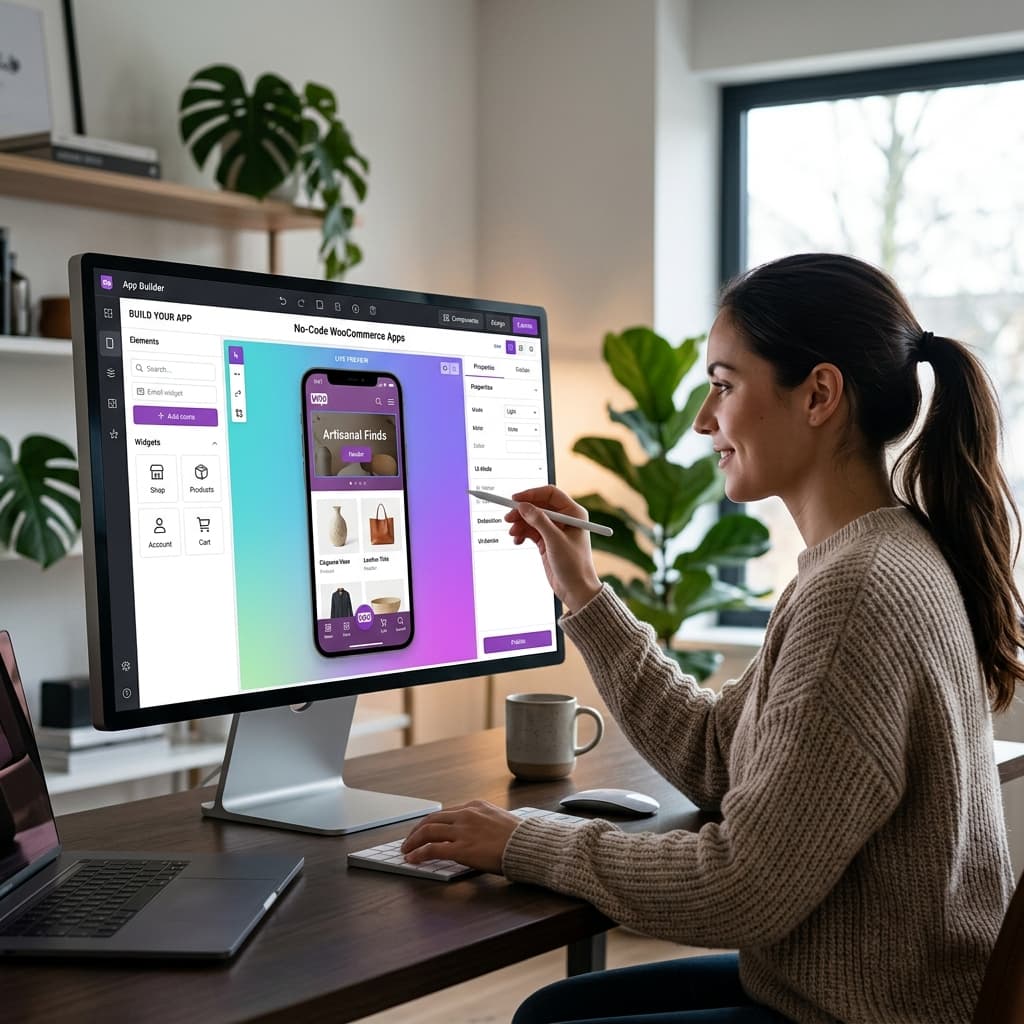
What Is a No-Code WooCommerce App Builder?
A no-code WooCommerce app builder is a platform that lets you create a native mobile app for your WooCommerce store without writing any code. You connect your store, design the app using a visual editor, and the platform generates real iOS and Android apps that can be published to the App Store and Google Play.
This approach has transformed mobile app development for ecommerce businesses. What previously required a team of developers, months of work, and tens of thousands of dollars can now be accomplished by a single store owner in hours for a fraction of the cost.
Why No-Code Matters for WooCommerce Store Owners
The Traditional Development Problem
Historically, building a mobile app required hiring iOS and Android developers (or React Native developers), a UX designer, a project manager, and a backend engineer to handle the WooCommerce API integration. The minimum cost for a functional ecommerce app was 30,000 to 50,000 dollars, with timelines of three to six months.
For most WooCommerce store owners doing 10,000 to 100,000 dollars per month in revenue, this investment was impossible to justify — even though the potential return was clear.
The No-Code Solution
No-code builders eliminate the development barrier entirely. You do not need to understand programming languages, development environments, or deployment processes. The platform handles:
- App architecture and code generation
- WooCommerce API integration and data synchronization
- Push notification infrastructure
- App Store and Google Play compliance
- Platform updates when Apple or Google change their requirements
- Performance optimization for different devices
You focus on what you know best — your products, your brand, and your customers.
How No-Code WooCommerce App Builders Work
Step 1: Connect Your Store
Enter your WooCommerce store URL and provide API credentials. The builder automatically imports your product catalog, categories, and store configuration. This takes minutes, not hours.
Step 2: Design Your App
Use a visual drag-and-drop editor to customize your app's appearance:
- Choose color schemes and typography that match your brand
- Arrange home screen sections including banners, product carousels, and category grids
- Configure navigation tabs and menu structure
- Upload your logo and set your app icon
- Customize product page layouts
The editor shows real-time previews so you can see exactly how your app will look as you make changes.
Step 3: Preview on Your Device
Before building, preview your app on your actual phone. This lets you test the complete experience — navigation, product browsing, cart functionality, and checkout — on a real device. No simulators or technical setup required.
Step 4: Build and Publish
When you are satisfied with the design and functionality, initiate a build. The platform compiles native iOS and Android apps and guides you through the App Store and Google Play submission process.
BrewmyApp follows this exact workflow and makes it as simple as possible for non-technical store owners.
What No-Code Builders Can and Cannot Do
What They Handle Well
- Standard ecommerce flows: Product browsing, search, cart, checkout, and order tracking work seamlessly out of the box
- Push notifications: Built-in support for promotional pushes, abandoned cart recovery, and order status updates
- Design customization: Color schemes, layouts, fonts, and branding elements are fully customizable
- Product sync: Real-time synchronization with your WooCommerce store data
- Payment processing: Integration with your existing WooCommerce payment gateways
- Multi-language: Support for RTL languages and multiple translations
- User accounts: Login, registration, order history, and address management
Limitations to Be Aware Of
- Highly custom features: If you need functionality that no ecommerce app has ever had, you may need custom development
- Complex integrations: Integrating with unusual third-party systems may require API-level work
- Unique UX patterns: If you want an app experience that is fundamentally different from standard ecommerce apps, custom development gives more flexibility
For 95 percent of WooCommerce stores, a no-code builder covers everything you need.
Choosing the Right No-Code Builder
Not all no-code app builders are created equal. Here are the criteria to evaluate:
1. Native vs WebView
The most important technical distinction. Native apps (built with React Native or similar frameworks) perform significantly better than WebView apps that simply wrap your mobile website in an app shell.
WebView apps look and feel like websites inside an app wrapper. They have slower load times, cannot access native device features properly, and often get rejected by Apple's App Store review team for not providing enough value over the website.
BrewmyApp builds true React Native apps — not WebView wrappers.
2. WooCommerce Integration Depth
The builder should use the official WooCommerce REST API for deep integration covering:
- All product types including simple, variable, grouped, and external
- Full variation support with individual pricing and images
- Real-time inventory sync
- Coupon and discount code support
- All WooCommerce-supported payment gateways
- Tax and shipping calculation
3. Push Notification Capabilities
Push notifications are one of the primary reasons to have an app. Ensure the builder includes:
- Unlimited push notifications without per-message fees
- Targeted notifications based on user behavior
- Scheduled notification delivery
- Rich notifications with images
- Deep linking to specific products or pages
4. Design Flexibility
You should be able to customize every visual element of your app to match your brand without needing CSS or design files. Look for:
- Full color theme customization
- Multiple layout options for home screen, product listings, and product pages
- Custom banner and promotional section support
- Typography control
- Logo and app icon customization
5. Ongoing Updates
Apple and Google regularly update their requirements for apps on their stores. Your builder should handle platform updates automatically so your app remains compliant without requiring action from you.
6. Pricing Transparency
Avoid builders that charge:
- Per-transaction fees or revenue percentages
- Per push notification charges
- Hidden fees for App Store or Google Play submissions
- Separate charges for iOS and Android
BrewmyApp's pricing is transparent — one plan covers both platforms with all features included.
Real-World Benefits
Store owners who switch from mobile website only to mobile website plus app typically see:
- Three-times-higher conversion rates from app users versus mobile web visitors
- Twenty-to-thirty-percent increase in total mobile revenue within the first three months
- Sixty-percent reduction in cart abandonment through push notification recovery
- Three-to-four-times-higher customer lifetime value from app users
These improvements are not theoretical — they are consistent patterns across ecommerce stores of all sizes.
Getting Started
- Create your free account
- Connect your WooCommerce store in minutes
- Design your app with the visual editor
- Preview on your device
- Build and publish when ready
See how it works or explore our pricing plans.
Related reads:
Ready to Turn Your Store into a Mobile App?
Design and preview your app for free. No coding required.
Start Building for Free